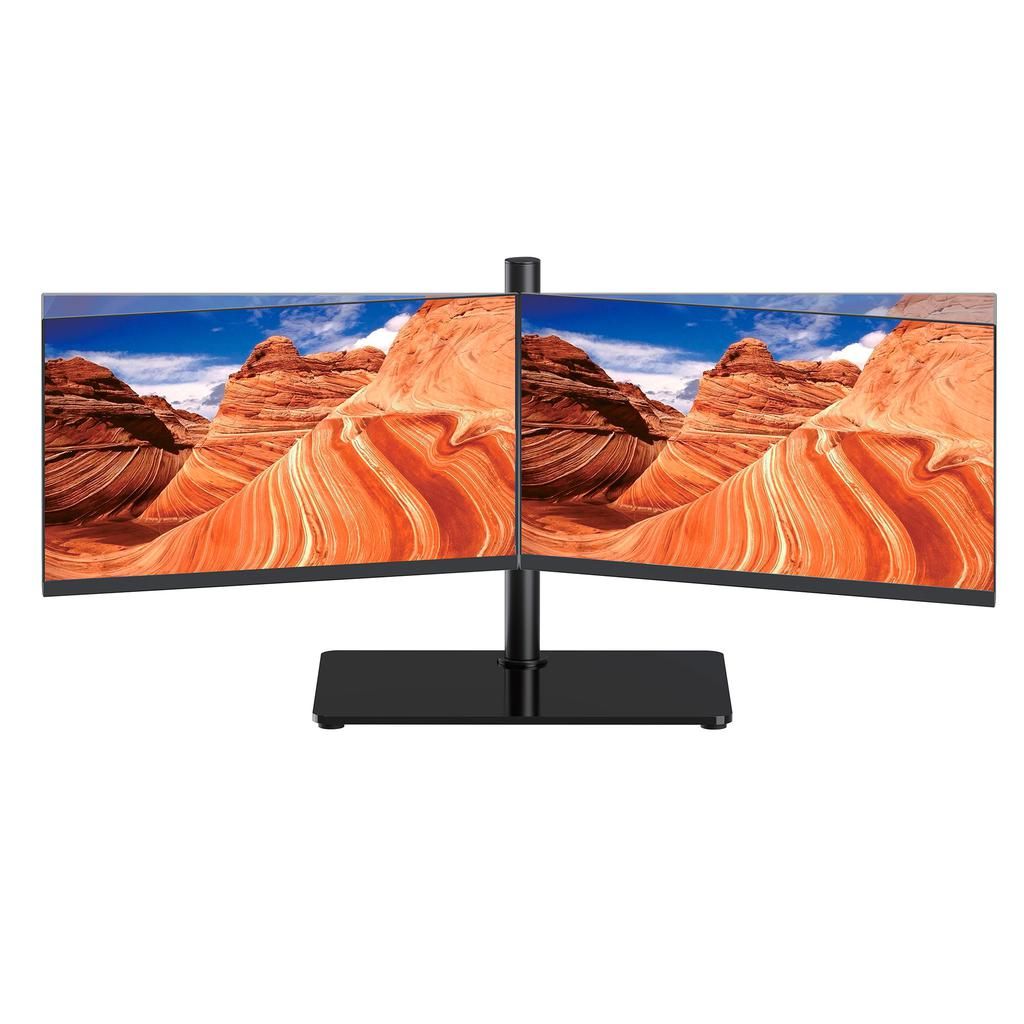
HARKN 21.5-Inch Full HD 75Hz DOUBLE Monitor Workstation with Dual Stand, USB-C Adapter and HDMI Cables
$1 600.00TTD
ONLINE ONLY DEAL
Two 21.5-inch Full HD 75Hz monitors with a sturdy dual stand, 360° rotation, HDMI cables and a USB-C adapter.
Out of stock, available for pre-order
1
Product Details
Brand: HARKN
Weight: 20.00 kg
Boost your productivity and create a cleaner, more efficient workspace with the HARKN 21.5-Inch Dual Monitor Workstation. This complete package combines two Full HD monitors with a sturdy central stand, allowing both screens to sit neatly side by side while using less desk space than two separate monitor bases.
With two displays, you can keep several applications visible simultaneously instead of repeatedly switching between windows. Use one monitor for your primary task and the second for emails, documents, video calls, customer information, reference material, timelines, charts or communication apps.
Each 21.5-inch monitor delivers a 1920 × 1080 Full HD resolution, a refresh rate of up to 75Hz, 250 cd/m² brightness and wide 178-degree viewing angles. The screens can be positioned in landscape or portrait orientation and rotated through 360 degrees on the stand, allowing you to customize the workstation for different tasks.
The workstation measures approximately 40 inches across when both monitors are positioned side by side. Its sturdy central stand supports both displays without requiring two individual monitor bases, helping to maintain a more organized desktop.
The package includes two HDMI cables and one HDMI-to-USB-C adapter, making it easier to connect compatible desktop computers, laptops and MacBooks. Each monitor also provides one HDMI input and one VGA input.
This workstation is ideal for medical and dental offices, attorneys, administrative professionals, accountants, call centres, customer-service representatives, forex traders, graphic designers, video editors, music producers, programmers, gamers, streamers, teachers, students and anyone who regularly works with multiple windows.
Key Features
- Complete two-monitor workstation
- Two 21.5-inch-class Full HD displays
- 1920 × 1080 native resolution
- Refresh rate up to 75Hz
- 16:9 widescreen aspect ratio
- Wide 178° horizontal and vertical viewing angles
- 250 cd/m² brightness
- 3000:1 contrast ratio
- Landscape and portrait orientation
- Screens can rotate through 360°
- Sturdy central stand holds both monitors
- Approximately 40-inch total width
- HDMI and VGA connectivity on each monitor
- Two HDMI cables included
- One HDMI-to-USB-C adapter included
- Adjustable low-blue-light mode
- Multiple picture and colour controls
- Suitable for work, entertainment and casual gaming
- Maximum rated power consumption of 24W per monitor
Detailed Specifications
Display
| Specification | Details |
|---|---|
| Brand | HARKN |
| Product type | Dual-monitor workstation |
| Number of monitors | 2 |
| Screen size | 21.5-inch class per monitor |
| Manual-listed display size | 55 cm / 21.45-inch class |
| Resolution | 1920 × 1080 Full HD |
| Maximum refresh rate | 75Hz |
| Aspect ratio | 16:9 widescreen |
| Brightness | 250 cd/m² |
| Contrast ratio | 3000:1 |
| Dynamic contrast ratio | ≥3000:1 |
| Viewing angle | 178° horizontal / 178° vertical |
| Screen orientation | Landscape or portrait |
| Screen rotation | Up to 360° |
| Total side-by-side width | Approximately 40 inches |
Connectivity
Each monitor includes:
- 1 × HDMI input
- 1 × VGA input
- 1 × DC power input
The complete package includes:
- 2 × HDMI cables
- 1 × HDMI-to-USB-C adapter
Power
| Specification | Details |
|---|---|
| Power input | DC |
| Adapter output | DC 12V / 2A per monitor |
| Maximum consumption | 24W or less per monitor |
| Maximum combined consumption | Up to approximately 48W |
Display Controls
The built-in on-screen display provides access to:
- Brightness
- Contrast
- ECO picture modes
- Dynamic Contrast Ratio mode
- Black-level adjustment
- Horizontal image position
- Vertical image position
- Clock adjustment
- Phase adjustment
- Image-ratio control
- Colour-temperature adjustment
- Individual red, green and blue colour controls
- Automatic image configuration
- Automatic colour adjustment
- Input selection
- Adjustable low-blue-light mode
- OSD transparency
- OSD position
- OSD display duration
- Factory reset
Available ECO Modes
- Standard
- Internet
- Game
- Movie
OSD Languages
- English
- French
- Portuguese
- Spanish
- Arabic
- Russian
Supported Resolutions
The monitors support several common computer display resolutions, including:
- 640 × 480
- 800 × 600
- 832 × 624
- 1024 × 768
- 1152 × 864
- 1152 × 870
- 1280 × 720
- 1280 × 800
- 1280 × 1024
- 1360 × 900
- 1440 × 900
- 1600 × 900
- 1680 × 1050
- 1920 × 1080
For the clearest image, use the monitors at their native 1920 × 1080 resolution.
What’s Included?
- 2 × HARKN 21.5-inch Full HD monitors
- 1 × Sturdy dual-monitor stand
- 2 × HDMI cables
- 1 × HDMI-to-USB-C adapter
- 2 × Power adapters
- User documentation
Recommended Uses
The HARKN Dual Monitor Workstation is ideal for:
- Medical and dental offices
- Law offices
- Accounting and bookkeeping
- Administrative work
- Call centres
- Customer-service departments
- Forex, stock and cryptocurrency trading
- Graphic design
- Photography and photo editing
- Video editing
- Music production
- Software development
- CCTV and security monitoring
- Online teaching and studying
- Working from home
- Gaming and streaming
- General office multitasking
Benefits of a Dual-Monitor Workstation
Work with multiple applications simultaneously
Keep your main application open on one screen while displaying emails, reference documents, customer information or communication software on the second.
Reduce unnecessary window switching
A dual-monitor setup minimizes the time spent opening, minimizing and rearranging windows, making everyday tasks feel faster and more organized.
Improve creative workflows
Graphic designers and video editors can place editing tools or timelines on one monitor while using the second display for full-size previews, files or reference material.
Monitor more information
Forex traders, security personnel and call-centre employees can keep important charts, camera feeds or customer information continuously visible.
Create a cleaner desktop
The included dual stand supports both monitors from one central base, reducing the clutter created by two separate monitor stands.
Frequently Asked Questions
How many monitors are included?
The package includes two HARKN 21.5-inch Full HD monitors.
Is the dual-monitor stand included?
Yes. A sturdy stand designed to hold both monitors side by side is included.
What is the total width of the workstation?
When the two monitors are positioned side by side, the setup measures approximately 40 inches across.
How much desk space do I need?
Your desk should have at least 40 inches of available width. A desk measuring approximately 42–44 inches wide or more is recommended to provide additional room for positioning and cable management.
Can the monitors be rotated vertically?
Yes. The monitors can be changed from landscape to portrait orientation. Portrait mode is useful for reading long documents, viewing websites, writing code, monitoring chats and working with vertically formatted content.
Do the screens rotate 360 degrees?
Yes. The mounting system allows each screen to rotate through 360 degrees, giving you flexibility when selecting landscape or portrait positioning.
Can the monitors be adjusted independently?
Yes. Each display can be positioned and rotated according to the needs of the user, subject to the movement range and spacing of the included stand.
What is the resolution of each monitor?
Each monitor has a native Full HD resolution of 1920 × 1080.
Is this a 4K workstation?
No. Both monitors are Full HD 1080p displays, not 4K monitors.
What is the maximum refresh rate?
Each monitor supports a refresh rate of up to 75Hz when connected to compatible equipment and configured correctly.
Will the monitors automatically operate at 75Hz?
Not always. Some computers may initially set the monitors to 60Hz. You may need to open the computer’s display settings and manually select 75Hz for each screen.
Can I use different applications on each monitor?
Yes. When the computer is configured to extend its desktop, each monitor can display different applications, windows or content.
Can both monitors display the same image?
Yes. Your computer may be configured to duplicate or mirror the same image across both screens. However, extended-display mode is recommended for multitasking.
Is it suitable for gaming?
Yes. The Full HD resolution and refresh rate of up to 75Hz make the workstation suitable for casual gaming. However, it is not designed as a high-refresh-rate competitive gaming system.
Is it suitable for forex trading?
Yes. Traders can display charts or trading software on one screen while using the second for news, market information, communication or additional charts.
Is it suitable for graphic design and video editing?
Yes. Designers and editors can use one screen for their editing software and the second for previews, media files, tools or reference material.
Is it suitable for medical and dental offices?
Yes. It can be used with compatible computer systems to display appointment software, patient records and other office applications. It is not advertised as a certified medical diagnostic display.
Does each monitor have an HDMI port?
Yes. Each monitor has one HDMI input.
Does each monitor have a VGA port?
Yes. Each monitor has one VGA input for compatible computers and devices.
Are the HDMI cables included?
Yes. Two HDMI cables are included, providing one cable for each monitor.
Is a USB-C adapter included?
Yes. One HDMI-to-USB-C adapter is included.
Can I connect both monitors to a laptop?
Yes, provided the laptop supports two external displays and has the necessary video outputs. The included adapter may provide one USB-C connection, while another screen can connect through the laptop’s HDMI port.
Will every USB-C port support a monitor?
No. The laptop’s USB-C port must support video output, usually through DisplayPort Alternate Mode or Thunderbolt. A charging-only or data-only USB-C port will not provide a video signal.
Can I use both monitors with a MacBook?
Yes, provided the MacBook model supports two external displays. External-display support differs between MacBook models and processor versions, so compatibility should be checked before purchase.
Will the included adapter make every MacBook support two monitors?
No. An adapter changes the connection type but cannot increase the number of external displays supported by the computer. The MacBook itself must support two external monitors.
Can I use the workstation with a desktop computer?
Yes. The computer must provide two compatible video outputs, such as two HDMI ports or a combination of HDMI, DisplayPort, USB-C or VGA. Additional adapters may be required depending on the computer.
Can HDMI and VGA be used at the same time?
Yes, if the computer provides the necessary outputs. For example, one monitor may be connected through HDMI and the other through VGA. HDMI is recommended when available for the best digital image quality.
Does HDMI carry audio?
HDMI can carry audio, but built-in speakers are not confirmed in the supplied monitor specifications. External speakers or headphones may be required.
Does the workstation have built-in speakers?
Built-in speakers are not listed in the supplied specifications and should not be assumed to be included.
Does it have DisplayPort?
DisplayPort is not listed. Each monitor is equipped with HDMI and VGA inputs.
Does it have USB-C built into the monitors?
No USB-C input is listed on the monitors. The included adapter allows a compatible USB-C computer port to connect to HDMI.
Does it support HDR?
HDR support is not listed in the supplied specifications.
Does it support AMD FreeSync or NVIDIA G-Sync?
Adaptive-sync support is not listed in the supplied specifications.
What is the response time?
A response-time specification is not provided in the supplied documentation.
What type of panel does it use?
The supplied documentation does not identify the panel as IPS, VA or TN. The panel type should therefore not be advertised as confirmed.
Does it have a low-blue-light mode?
Yes. Each monitor includes an adjustable low-blue-light setting ranging from 0 to 100.
Can the brightness and colours be adjusted?
Yes. The monitors allow adjustment of brightness, contrast, colour temperature and individual red, green and blue values.
What power adapters do the monitors use?
Each monitor uses a DC 12V / 2A power adapter.
How much power does the workstation consume?
Each monitor has a maximum rated consumption of 24W or less. Together, both displays may consume up to approximately 48W, depending on their settings and usage.
What should I do if only one monitor is working?
Check that:
- Both monitors are switched on.
- Both power adapters are connected.
- Both video cables are securely connected.
- The correct input is selected on each monitor.
- The computer supports two external displays.
- The computer is configured to extend or duplicate the desktop across both monitors.
Why are both monitors showing the same thing?
The computer is likely set to duplicate or mirror its display. Open the display settings and select the option to extend the desktop if you want different windows on each monitor.
Why is one screen not reaching 75Hz?
Confirm that the computer, video output, adapter and cable support 1920 × 1080 at 75Hz. You may also need to select 75Hz manually in the computer’s advanced display settings.
Why does the VGA picture appear blurry?
Set the computer to 1920 × 1080, ensure the VGA cable is securely connected and use the monitor’s automatic configuration function. HDMI is recommended for the clearest digital image.
Is assembly required?
Basic assembly and positioning of the dual stand and monitors are required. Always ensure that the stand and monitors are securely installed before use.
Are the monitor arms motorized?
No. The screens are positioned and rotated manually.
Are the monitors touchscreens?
Touchscreen functionality is not listed in the product specifications.
Can the stand hold larger monitors?
The included stand is supplied specifically for this dual-monitor workstation. Compatibility with other monitor sizes or weights is not guaranteed.
Save this product for later
Customer reviews
Reviews only from verified customers
No reviews yet. You can buy this product and be the first to leave a review.
Have questions?
HARKN 21.5-Inch Full HD 75Hz DOUBLE Monitor Workstation with Dual Stand, USB-C Adapter and HDMI Cables
You May Also Like
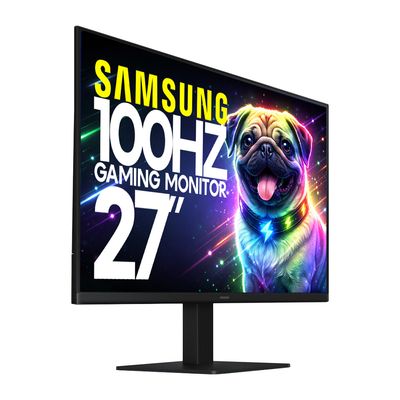
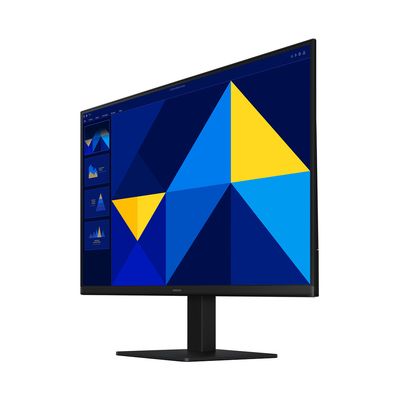
Samsung 27 Essential S3 27" Full HD IPS Monitor 100Hz (S27D300GAN)
Samsung 27 Essential S3 27" Full HD IPS Monitor 100Hz (S27D300GAN)
27-inch IPS monitor with 100Hz refresh rate, ultra-slim design, and eye comfort technology for work, entertainment, and casual gaming.
$999.00TTD
NEW
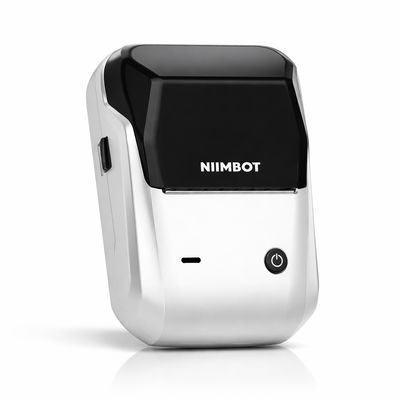

NIIMBOT B1 Portable Bluetooth Thermal Label Maker
NIIMBOT B1 Portable Bluetooth Thermal Label Maker
Smart, Ink-Free Label Printing for Home, Business & Organization
5.0
(1)
$390.00TTD
NEW


NIIMBOT Thermal Label Refill Rolls
NIIMBOT Thermal Label Refill Rolls
Premium Ink-Free Labels for NIIMBOT B1 – Crisp, Durable & Easy to Use
$100.00TTD
ONLINE ONLY DEAL
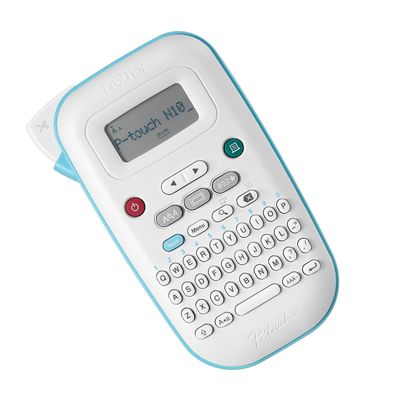

Brother P-Touch PT-N10 Portable Label Maker
Brother P-Touch PT-N10 Portable Label Maker
Create custom, colorful labels anytime with this compact, easy-to-use handheld label printer.
$410.00TTD
Out of stock
ONLINE ONLY DEAL
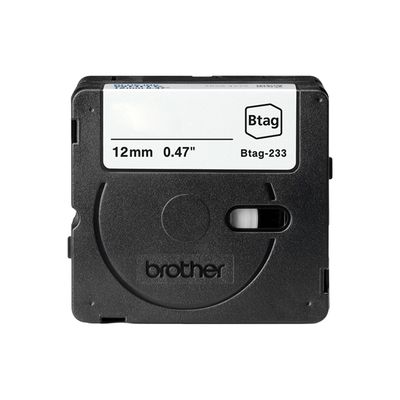

Brother P-Touch BTAG Label Tape BTAG3M01 12mm x 4m (0.47" x 13.1ft)
Brother P-Touch BTAG Label Tape BTAG3M01 12mm x 4m (0.47" x 13.1ft)
Genuine Brother tape for sharp, long-lasting labels
$100.00TTD
Out of stock
Sold out
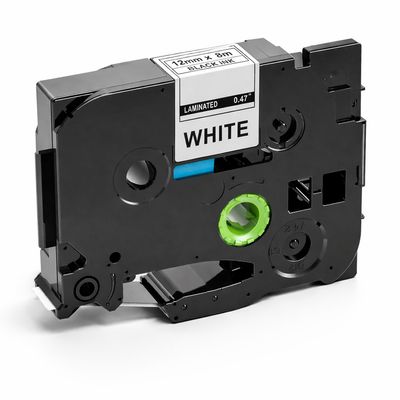
12mm Black on White Laminated Label Tape (Compatible with Brother PT-H110)
12mm Black on White Laminated Label Tape (Compatible with Brother PT-H110)
Durable 12mm Laminated Label Tape – Black on White (8m)
$100.00TTD
Out of stock
Display prices in:USD